Office Monitor Broken? Onsite Repair in KL/Klang Valley
A monitor that suddenly shows "No Signal" on Monday morning, a screen that flickers every few seconds, lines running down the display, or a picture so dim you can barely read a spreadsheet. When an office monitor breaks, that staff member can't work properly, and on a reception, cashier or accounts desk, the whole team feels it. Many of these faults turn out to be a cable, a docking station or a setting, and the rest need a technician who can tell you honestly whether the monitor is worth repairing.
We provide office monitor repair onsite in KL and the Klang Valley, sending technicians to your office to diagnose monitors that won't display, flicker, show lines or have stopped powering on. We work on the business monitors most offices use, including Dell P-series, E-series and UltraSharp, HP E-series and V-series, Lenovo ThinkVision, as well as Samsung, LG, Acer, Asus, AOC, Philips and ViewSonic displays. If the problem turns out to be the PC or laptop behind the monitor, our onsite computer and laptop repair covers that in the same visit.
Searching monitor repair KL or office monitor not working usually turns up listings with no address to check and no honest advice on repair versus replacement. We're KL Computer, with four permanent branches across Kuala Lumpur and technicians who handle office call-outs every week.
🖥️ Same-Day Onsite Visits (subject to availability): Tell us the monitor brand and model, how many screens are affected, and what you see (no signal, flickering, lines, no power), plus a photo if you can. We'll advise whether it's likely a quick fix or a parts job. WhatsApp us to book a call-out.
Common Office Monitor Problems We Fix
These are the monitor faults our technicians see most often in Klang Valley offices, and what usually causes them.
No Signal or Black Screen
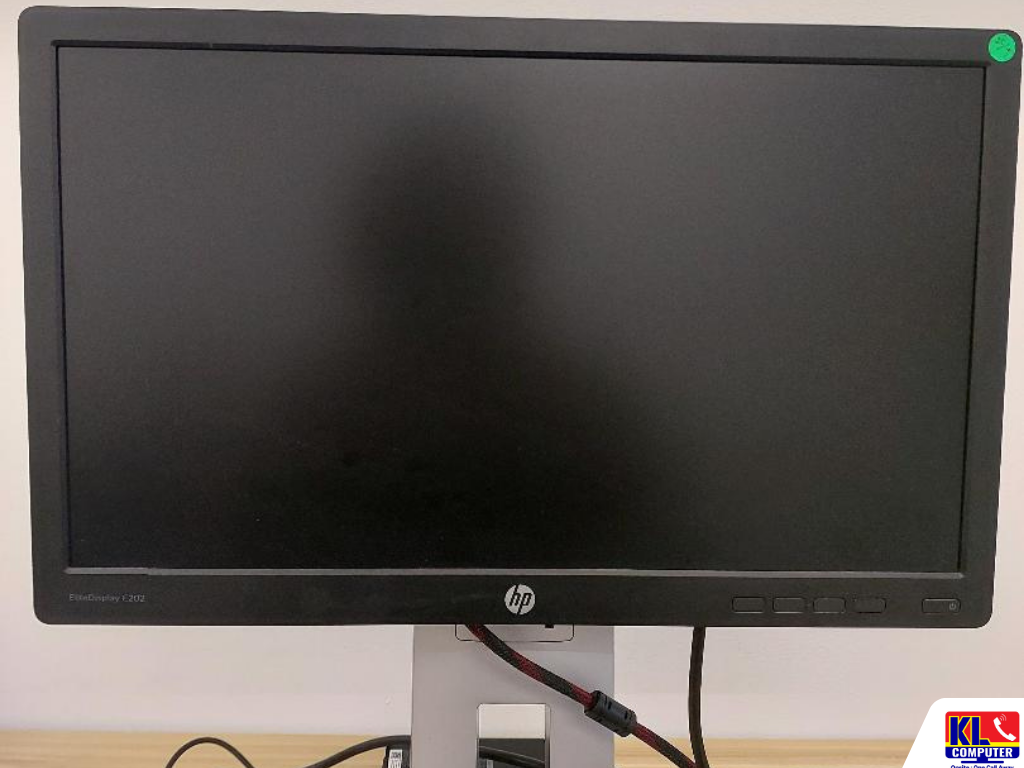
The monitor powers on but shows "No Signal". Often a loose or faulty cable, the wrong input selected, a docking station issue or a problem with the PC's graphics output rather than the monitor itself.
Flickering or Flashing Screen
Flicker that comes and goes, especially when the cable is touched, points to a cable or port. Constant flicker can be a refresh rate setting, a graphics driver or a failing backlight.
Lines, Bars or Distorted Image
Vertical or horizontal lines, colour bands or a garbled picture. If the lines also appear in the monitor's own menu, the fault is inside the panel or its connector.
Very Dim or Dark Picture
You can faintly see the image when you shine a torch on the screen. This usually means the backlight or its power circuit has failed, while the panel itself may still be fine.
No Power or Keeps Turning Off
The power light doesn't come on, blinks, or the monitor switches itself off after a few minutes. Commonly a failed power adapter or power board, which is often repairable.
Dual Monitor & Docking Issues
Second screen not detected, wrong resolution, or monitors dropping out on USB-C or Thunderbolt docks. Usually drivers, dock firmware, cable type or display settings.
Not sure what's wrong? Send us a photo of the screen and the back of the monitor showing the model number, and we'll give you an initial read before booking a visit.
Quick Checks Before You Call Us
A few safe checks can save you a call-out. Try these first:
- •Reseat both ends of the display cable and, if you have a spare HDMI, DisplayPort or USB-C cable, try swapping it.
- •Check the input source using the monitor's buttons. It may be set to HDMI while the PC is connected by DisplayPort.
- •Open the monitor's own menu. If the menu shows clearly but there's no picture, the monitor is likely fine and the problem is the PC, cable or dock.
- •Try the monitor on another PC or laptop, or another monitor on the same PC, to see which side the fault follows.
- •Shine a phone torch at the screen when it looks black. If you can faintly see the desktop, the backlight has likely failed.
- •Don't press on the screen or open the casing. Monitor power boards hold mains voltage, and pressing on the panel can cause permanent damage.
Repair or Replace? Our Honest Take
Not every broken monitor is worth repairing, and we'd rather tell you that upfront. From the office monitors we handle, this is how it usually works out:
- •Usually worth repairing: cable and port faults, power adapter or power board failures, and backlight faults on mid-range and larger business monitors.
- •Often not worth repairing: cracked or pressure-damaged panels, and monitors with several faults at once. A replacement panel can cost close to, or more than, a new monitor.
- •Check the warranty first: many business-series monitors from Dell, HP and Lenovo come with multi-year manufacturer warranties. We can help you check the serial number before you pay for a repair.
- •A few dead pixels: manufacturers allow a small number of dead or stuck pixels depending on screen size, so check the warranty terms before assuming it's a fault.
- •Replacing several monitors? We can recommend suitable business monitors and set them up with the right cables, docks and display settings for each desk.
Because a broken monitor often shows up alongside an ageing PC, we can check the whole workstation in the same visit. See our business IT support for ongoing support plans.
How an Onsite Call-Out Works
- 1.Tell Us What's Happening. Share the monitor brand and model, the symptom, how many screens are affected and your office location. A photo helps.
- 2.Call-Out Scheduled. We confirm a visit window and the call-out fee upfront, so there's no surprise before the technician arrives.
- 3.Onsite Diagnostic & Quote. The technician tests the monitor with known-good cables and devices to find whether the fault is the monitor, the cable, the dock or the PC, then quotes before any repair.
- 4.Fix Onsite or Workshop Repair. Cable, settings, driver and dock issues are usually fixed on the spot. Power board or backlight repairs are done at our branch and the monitor is returned once repaired.
- 5.Test Before We Leave. We confirm the display, resolution and multi-monitor setup are working properly at the desk before closing the job.
Areas We Cover Around KL & Klang Valley
Our four branches let us send technicians onsite across Kuala Lumpur without a long travel delay. If your office isn't listed below, WhatsApp us your location and we'll confirm coverage.
Setapak
Wangsa Maju
Cheras
Pandan Jaya / Pandan Indah
Ampang
Kuchai Lama
Bangsar
Bukit Bintang
Visit or Call a Branch
Call or WhatsApp any branch to book an onsite visit, or walk in if you'd rather drop the monitor off yourself.
📍 Branch
KL Computer Services Setapak
First Floor, 36-1, Jalan 2/23A, Taman Danau Kota, 53300 Wilayah Persekutuan Kuala Lumpur
Mon-Fri: 9am-7.30pm | Sat-Sun: 9am-7pm
📞 016-501 1914
📍 Branch
KL Laptop Shop Cheras Pandan Jaya
First Floor, 34-1A, Jalan Pandan 2/1, Pandan Jaya, 55100 Kuala Lumpur
Mon-Fri: 9am-7pm | Sat: 10am-7pm | Sun: Closed
📞 018-245 1914
📍 Branch
KL Computer Shop Ampang Pandan Indah
First Floor, 13M Jalan Pandan Indah 4/2 Ampang, 55100 Wilayah Persekutuan Kuala Lumpur
Mon-Fri: 9am-7.30pm | Sat-Sun: 10am-7pm
📞 018-405 1914
📍 Branch
KL Computer Services Jalan Klang Lama
First Floor, 2-1 Jalan Indrahana 1, Off Jalan Kuchai Lama, Klang Lama, 58200 Wilayah Persekutuan Kuala Lumpur
Mon-Fri: 9am-7.30pm | Sat-Sun: 10am-7pm
📞 018-944 1914Why Offices Choose Us
- ✓12 Years Fixing Office Equipment. We've handled monitor, PC and network call-outs for Klang Valley offices for over a decade. See our about us page for our background.
- ✓Honest Repair-or-Replace Advice. If a monitor isn't worth repairing, we tell you before you spend money on it.
- ✓Quote Before Repair. You know the call-out fee and any parts cost before we start work, not after.
- ✓We Check the Whole Desk. Monitor, cable, dock and PC are tested together, so the real fault gets fixed the first time.
- ✓Four Fixed Branches. Not a one-man call-out service. Our Setapak HQ alone has a 4.9-star rating from over 2,000 Google reviews you can check.
- ✓More Than Monitors. We also handle computer repair and maintenance, bulk computer cleaning for offices, and phone repair through our sister brand klmobile.my.
Frequently Asked Questions
Have more questions? Visit our dedicated FAQ page, or see our business IT services on klcomputerservices.com.my.
Do you come to our office, or do we need to bring the monitor in? ▾
Both are possible. For office call-outs a technician comes to you and checks the monitor, cable, dock and PC together. Cable, settings and dock issues are usually fixed onsite, while power board or backlight repairs are done at our branch and the monitor is returned once repaired.
Our monitor says "No Signal". Is the monitor broken? ▾
Not necessarily. "No Signal" means the monitor is working but isn't receiving a picture. The cause is often a loose or faulty cable, the wrong input source, a docking station or the PC's graphics output. If the monitor's own menu displays clearly, the monitor is usually fine.
Can a monitor with a cracked screen be repaired? ▾
Technically the panel can sometimes be replaced, but for most office monitors the cost is close to or more than a new monitor. In that case we'll recommend a replacement rather than an expensive repair.
The screen is black but I can faintly see the image with a torch. What's wrong? ▾
This usually means the backlight or its power circuit has failed while the panel is still working. It's often repairable, depending on the monitor model and parts availability.
Our monitors are still under warranty. Should we claim warranty first? ▾
Yes. Many business monitors from Dell, HP and Lenovo carry multi-year warranties. Check the serial number with the manufacturer first. If it's out of warranty or the claim is rejected, we can assess and quote the repair.
Can you set up dual monitors or docking stations for our staff? ▾
Yes. We set up dual and triple monitor workstations, USB-C and Thunderbolt docks, and the correct cables and display settings as part of our onsite visits.
📞 Call / WhatsApp (Setapak HQ): 016-501 1914
📞 Call / WhatsApp (Jalan Klang Lama): 018-944 1914
📞 Call / WhatsApp (Cheras/Pandan Jaya): 018-245 1914
📞 Call / WhatsApp (Ampang/Pandan Indah): 018-405 1914
🗺️ Waze / Google Maps: search "KL Computer Services" with your nearest branch area
🕒 Open daily except Cheras on Sundays, hours vary by branch, see the branch cards above
✉️ Email: salesklcs@gmail.com
Table Of Content
Featured Services
Talk To Us
Got an IT issue? Skip the form — just WhatsApp us directly. Describe your problem and we'll get back to you fast.
WhatsApp Us NowRecent Post