When the Office Internet Goes Down: Backup Internet Options for SMEs
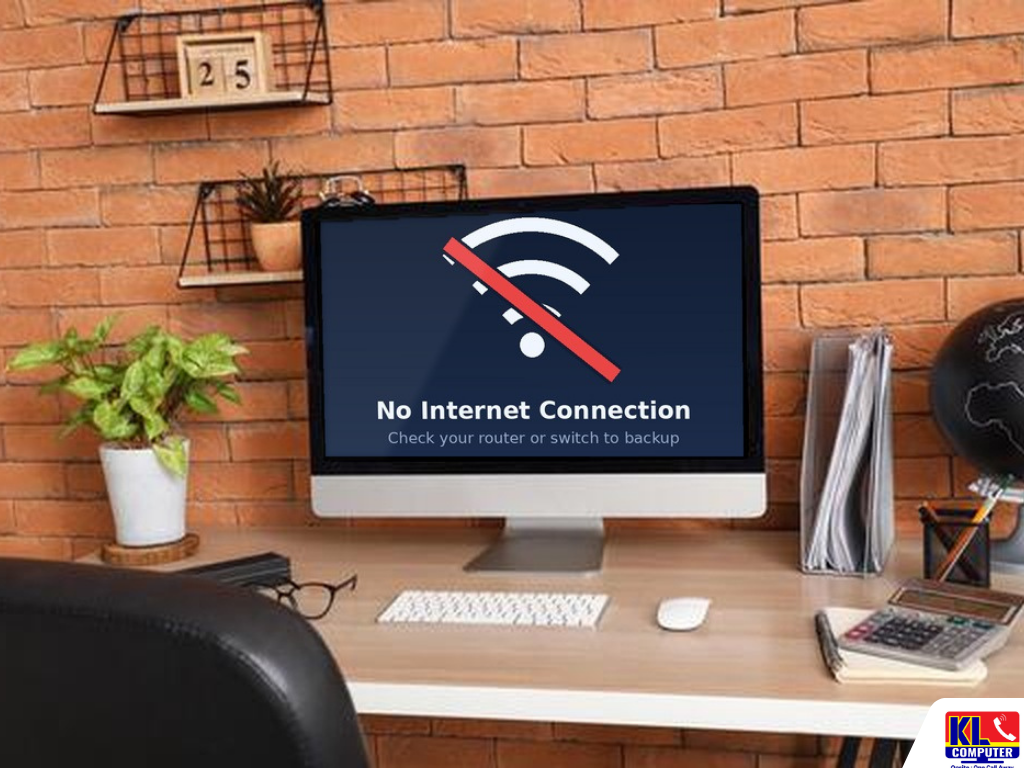
The line drops at 10am on a Monday. The cashier cannot process cards, the accountant cannot open the cloud accounting system, staff cannot join client calls, and the CCTV app on the owner's phone shows nothing. Nobody planned for it, and every minute the office sits idle is paid for in wages and lost sales. For many small businesses in Kuala Lumpur, a single internet line is the one thing the whole day depends on.
Backup internet for SMEs is simply a second way online that takes over when your main line fails. It can be as basic as a phone hotspot or as complete as a router that switches to a 4G or 5G connection by itself within a minute. The right choice depends on what your office cannot afford to lose, how many people need to keep working, and how long you can accept being offline. At KL Computer, our technicians plan this around how your office actually works, not a fixed package.
Searching office internet backup Malaysia or failover internet KL mostly turns up ISP advertising or equipment lists, with little on how to set it up properly for a small office. We are one of four permanent KL Computer branches across Kuala Lumpur, and backup internet is part of the same B2B network and IT support work we already do for offices on Wi-Fi, firewalls, printers and computers. See our full range of business IT services for what else we cover.
📶 On-Site Internet Continuity Check: We visit your office, see how your current line, router and network are set up, and map out which backup option fits before quoting anything. WhatsApp us to book a visit or ask a quick question first.
What Your Backup Internet Plan Needs to Cover
Before choosing any equipment, work out what actually stops when the internet stops. This list decides how much backup you need.
- ✓What depends on the internet. Cloud accounting, POS and card payments, email, online banking, video calls, VoIP phones, cloud file storage and remote CCTV viewing. List them, and mark which ones cannot wait.
- ✓How long you can be offline. A few minutes is an inconvenience. A few hours can cost a day's sales. This decides whether a phone hotspot is enough or you need automatic failover.
- ✓How many people need to keep working. A backup line shared by five staff is very different from one shared by thirty. It also decides how much mobile data you will need.
- ✓Which devices must stay online. Often only the POS, a few computers and the phone system need the backup. Everything else can wait, and limiting it saves data and keeps the backup usable.
- ✓Remote access and CCTV. If staff use VPN, remote desktop or a CCTV app from outside, these can behave differently on the backup line. See the section below on what changes.
- ✓Power. An internet outage is often caused by a power cut or a fault on the line. If the router and modem lose power too, even the best backup does nothing. We cover this under power and equipment below.
If your office already has structured cabling or a managed switch, backup internet can usually be added without rewiring. This is where our network and Wi-Fi setup service ties in directly.
Backup Internet Options Compared
There is no single best backup. Each option suits a different size of office and a different level of risk. Here is how they compare.
| Option | Best For | Watch Out For |
|---|---|---|
| Phone hotspot | A one-off emergency for one or two people, such as sending an urgent email. | Manual, so someone must be present. Not enough for a whole office or a POS, and phone data and battery run down fast. |
| 4G/5G backup router with automatic failover | Most small offices. Switches to a mobile data connection by itself when the main line fails. | Slower than fibre, depends on mobile signal at your premises, and needs enough data on the SIM plan. Test it before you need it. |
| Second fibre line from a different provider | Offices where being offline is very costly and a mobile backup is not fast enough. | Higher monthly cost. It only helps if the two lines use different providers and different routes into the building. |
| Backup bundled with your business plan | Offices that want one bill and one provider. | Some business fibre plans now include a built-in 4G backup. Check the speed, data limits and what is covered, and note that it shares the same provider. |
| Satellite internet | Sites with limited wired options, such as warehouses or construction sites. | Higher cost, and the dish needs a clear view of the sky. Often unnecessary for an office in Kuala Lumpur. |
For most small offices in KL, a 4G or 5G backup connected to a router that fails over automatically gives the best balance of cost and protection. A second fibre line only makes sense when downtime is very costly. Two lines from the same provider can share the same fault, so a different provider and a different technology give better protection.
How Automatic Failover Works
Automatic failover uses a router with two internet connections, called dual-WAN. The main fibre line is the primary and the 4G or 5G line stands by. When the primary fails, the router moves your traffic to the backup, and returns to the main line once it recovers. Here is what to expect.
- ✓Health checks, not just a cable check. A good router tests the connection by contacting reliable websites, not just by checking the cable. Sometimes the modem stays on while the provider's service is down, and a cable check alone would miss it.
- ✓Switchover takes a short time. Switching usually takes somewhere between 10 and 60 seconds depending on the router and settings. Everything that was in progress, such as a call or a VPN session, drops briefly and reconnects.
- ✓The backup is usually slower. A mobile connection is normally slower than business fibre. Setting priority rules for the POS, VoIP phones and key applications keeps the important things working.
- ✓It switches back by itself. Once the main line is stable again, traffic returns to it. We set this up so the router does not bounce between lines during a flaky outage.
- ✓It needs to be tested. A backup can fail quietly, for example because of an expired SIM or weak signal. We test failover by unplugging the main line, and recommend repeating the test regularly.
What Changes When You Switch to the Backup
When the office moves to the backup line, a few things behave differently. Knowing this in advance avoids surprises during an outage.
- ✓Your public IP address changes. Anything that relies on a fixed address, such as a VPN, remote desktop or a CCTV set up with port forwarding, may not work on the backup unless it is planned for. Cloud-based CCTV apps usually reconnect on their own.
- ✓Mobile connections can block incoming access. Many mobile providers do not give your office a public address that can be reached from outside. A cloud-based remote access tool can solve this.
- ✓Speed and data limits. Plan the SIM data for a long outage, not a short one. A busy office can use tens of gigabytes over a long outage, so a basic phone plan can run out quickly.
- ✓Some devices should be left off the backup. Cloud backups, large updates and video streaming can use up the data. We can limit these to the main line only.
- ✓Staff need to know what to expect. A short note on what works, what is slower and who to call turns an outage into a minor event instead of a panic.
Backup internet is also not a data backup. If your files only live on one computer or one drive, a second internet line will not protect them. See our guide to cloud backup and data recovery to protect the files themselves.
Power and Equipment: The Part People Forget
Many outages come from a power cut or an overloaded socket, not from the internet provider. A backup that loses power at the same moment is no help. These are the basics we check on every visit.
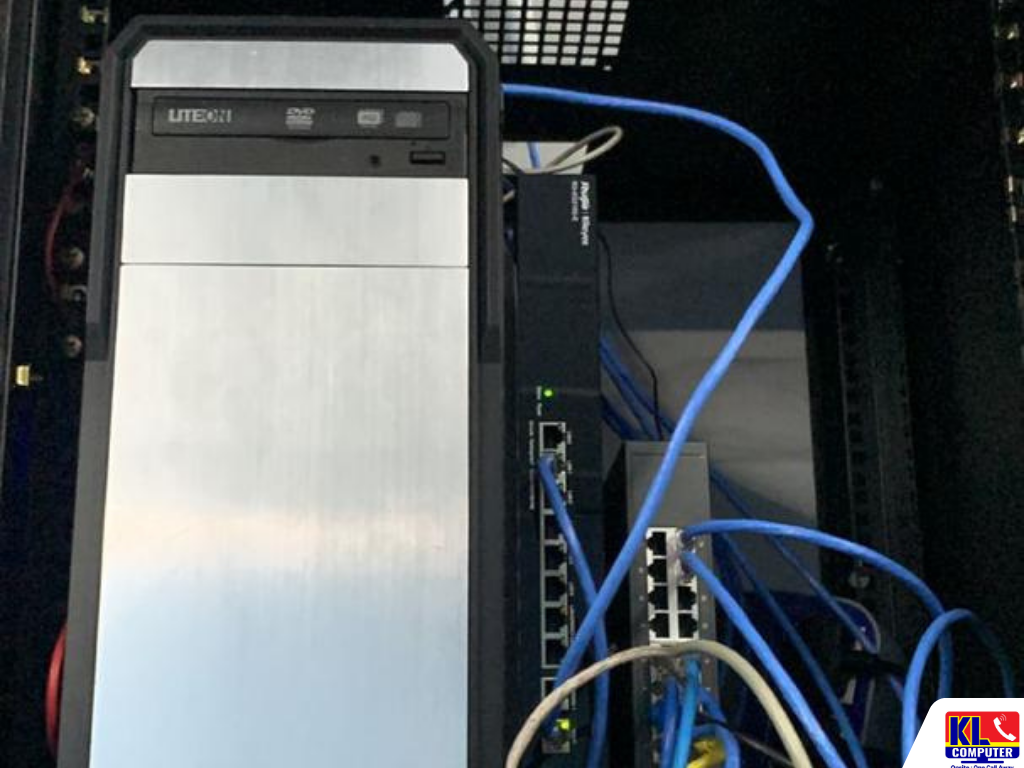
- ✓A UPS for the network equipment. A small UPS on the fibre box, router, switch and backup modem can keep the internet running through short power cuts and brownouts, and gives the equipment a clean shutdown.
- ✓A router that supports dual-WAN. Many routers supplied with a plan cannot do automatic failover. A business-grade router or firewall can, and also gives you better control and security.
- ✓Good placement for the mobile antenna. Mobile signal can be weak inside a concrete building. We test where the signal is strongest, and place the 4G or 5G unit there, with a cable back to the router if needed.
- ✓Tidy, labelled cabling. Labelled cables and a simple network diagram mean any technician can find a fault quickly, instead of tracing cables during an outage.
- ✓Clear ownership of accounts. Keep a record of your provider accounts, support numbers and SIM details somewhere the whole team can find, not only in one person's phone.
Typical Backup Internet Setups for SMEs
Every office is different, so the table below is a rough guide, not a fixed price. Exact cost depends on the equipment, the data plan and the cabling needed. We confirm this after the site visit.
| Office Size | Typical Setup | Est. Turnaround |
|---|---|---|
| Small (about 5 to 10 staff) | Dual-WAN router with a 4G or 5G backup, and a UPS on the network equipment | Same day |
| Standard Office (about 10 to 30 staff) | Business router or firewall with failover, a 5G backup, priority rules for POS and phones, UPS, and a tested failover | 1 working day* |
| Critical or Multi-Site | Two fibre lines from different providers plus a mobile backup, with monitoring and documentation | 1 to 3 working days* |
*Depends on the equipment on hand, how the lines enter the building and whether existing network infrastructure can be used. We'll confirm exact timing after the site visit. Provider installation times for a new line are set by the provider.
Our Setup Process, Step by Step
Here is what happens from the first enquiry to a backup you have seen working.
- 1.Site Visit. We check your current line, router and network, and list what depends on the internet and how long you can afford to be offline.
- 2.Plan & Quote. We recommend a backup option, equipment and data plan, with pricing confirmed before any work starts. If a phone hotspot is enough for you, we say so.
- 3.Installation & Configuration. We set up the router, the backup connection, priority rules and the UPS, with labelled cabling.
- 4.Failover Test. We unplug the main line in front of you and confirm the office stays online, remote access behaves as planned and traffic returns when the line comes back.
- 5.Handover & Documentation. You get a simple record of the setup, accounts and who to call, and we show your team what to expect during an outage.
Areas We Cover Around Klang Valley
We set up backup internet for offices across Kuala Lumpur including Cheras, Ampang and Setapak. If your area isn't listed below, WhatsApp us your location and we'll confirm.
Cheras
Pandan Jaya
Pandan Indah
Ampang
Setapak
Taman Danau Kota
Kuchai Lama
Bukit Bintang
Visit or Call a Branch
Speak to any of our four branches to start with an on-site check. Our Pandan Jaya branch covering Cheras is a good first stop if you're based in that area. Our door-to-door onsite IT services on klcomputerservices.com.my can also come to your premises across KL and Selangor.
📍 Branch
KL Computer Services Setapak
First Floor, 36-1, Jalan 2/23A, Taman Danau Kota, 53300 Wilayah Persekutuan Kuala Lumpur
Mon-Fri: 9am-7.30pm | Sat-Sun: 9am-7pm
📞 016-501 1914
📍 Branch - Cheras Area
KL Laptop Shop Cheras Pandan Jaya
First Floor, 34-1A, Jalan Pandan 2/1, Pandan Jaya, 55100 Kuala Lumpur
Mon-Fri: 9am-7pm | Sat: 10am-7pm | Sun: Closed
📞 018-245 1914
📍 Branch
KL Computer Shop Ampang Pandan Indah
First Floor, 13M Jalan Pandan Indah 4/2 Ampang, 55100 Wilayah Persekutuan Kuala Lumpur
Mon-Fri: 9am-7.30pm | Sat-Sun: 10am-7pm
📞 018-405 1914
📍 Branch
KL Computer Services Jalan Klang Lama
First Floor, 2-1 Jalan Indrahana 1, Off Jalan Kuchai Lama, Klang Lama, 58200 Wilayah Persekutuan Kuala Lumpur
Mon-Fri: 9am-7.30pm | Sat-Sun: 10am-7pm
📞 018-944 1914Why SMEs Choose Us
- ✓12 Years in the Industry. We've supported small and growing businesses across Kuala Lumpur since long before cloud accounting and online payments made the internet essential. See our about us page for our background.
- ✓Site Visit Before Quoting. We see your office and your current setup first, so the recommendation reflects what your business actually needs instead of a generic package.
- ✓Honest About What You Need. If a phone hotspot is enough for your office, we tell you. If you need automatic failover, we explain why and show it working before we finish.
- ✓Network Knowledge, Not Just Equipment. Because we also handle office networking, Wi-Fi and firewalls day to day, backup internet is set up as part of a proper network, including remote access and CCTV viewing.
- ✓Fixed, Walk-In Branches. Four permanent locations across KL with a 4.9 Google rating from over 2,000 reviews at our Setapak branch, not a one-man operation you can only reach by phone.
- ✓Ongoing Support. If the SIM expires, the signal changes or the router needs a firmware update later, the same branch that set it up can look after it. We also handle business IT support and data recovery if your office needs those too.
Frequently Asked Questions
Have more questions? Visit our dedicated FAQ page, or see our related business IT services.
Does a small office really need backup internet? ▾
It depends on how much of your day relies on the internet. If you use cloud accounting, card payments, VoIP or remote CCTV, even an hour offline can be costly, and a backup is worth having. If you only use email occasionally, a phone hotspot may be enough. We help you decide after seeing your setup.
Can I just use my phone hotspot as backup? ▾
For an emergency with one or two people, yes. It is not suitable for a whole office or a POS, because it is manual, the phone battery and data run down quickly, and someone has to be there to switch it on. An automatic 4G or 5G backup on a dual-WAN router is much more reliable.
How fast does the office switch to the backup line? ▾
Usually somewhere between 10 and 60 seconds, depending on the router and its settings. Calls and VPN sessions that were running drop briefly and reconnect. We test this in front of you at handover.
Will CCTV remote viewing and VPN still work on the backup? ▾
It depends on how they were set up. Cloud-based CCTV apps usually reconnect on their own, while setups that rely on a fixed address or port forwarding may need extra configuration. We check this during the visit and plan for it.
How much mobile data does a backup connection need? ▾
It depends on how many staff use it and what for. Backup use is usually only a few hours at a time, but a long outage with a busy team can use a lot. We size the data plan to your office and limit non-essential traffic on the backup.
Is backup internet the same as data backup? ▾
No. Backup internet keeps you online when the line fails. Data backup protects your files if a computer or drive fails. Most offices need both, and we can set up either or both.
How much does it cost to set up backup internet? ▾
It depends on the equipment, the data plan and the cabling needed. After the site visit we give you a clear quote, and no work starts until you confirm.
📞 Call / WhatsApp (Setapak HQ): 016-501 1914
📞 Call / WhatsApp (Cheras/Pandan Jaya): 018-245 1914
📍 Four branches across Kuala Lumpur: Setapak, Cheras (Pandan Jaya), Ampang (Pandan Indah), and Kuchai Lama
🕒 Mon-Sat, hours vary by branch, see individual branch cards above
Table Of Content
Featured Services
Talk To Us
Got an IT issue? Skip the form — just WhatsApp us directly. Describe your problem and we'll get back to you fast.
WhatsApp Us NowRecent Post