Windows 10 on Office PCs: Pay for Extended Updates, Upgrade or Replace?
The accounts PC that runs your payroll software, the reception computer that's been there since 2017, and a row of staff desktops that still boot fine every morning. For many small and mid-sized offices in Kuala Lumpur, these machines are still on Windows 10, and the question on every owner's mind is the same: do we pay to keep them protected, upgrade them, or finally replace them?
Windows 10 reached end of support in October 2025. Since then, office PCs only receive security updates through Microsoft's paid Windows 10 Extended Security Updates (ESU) for businesses, and the price per PC doubles every year. Year 2 of the programme starts on 14 October 2026, which makes this the right time to decide. Unlike the free programme for home users, which now runs to October 2027, office PCs have no free option.
If you're searching Windows 10 ESU for business or Windows 11 upgrade for office PCs KL, this guide compares the three options and how we help offices decide machine by machine. We're KL Computer, with four permanent branches across Kuala Lumpur and 12 years supporting office IT. See our full range of business IT services for what else we cover.
💻 Windows 10 Office Audit: Tell us how many PCs your office has, and we'll check which can upgrade to Windows 11, which need parts, and which are better replaced, before you spend on ESU licences. WhatsApp us to book an audit.
What Windows 10 ESU Costs for Businesses
Microsoft's business ESU programme runs for a maximum of three years, priced per PC, with the cost doubling each year. Prices below are Microsoft's published USD list prices; local resellers quote in RM.
| ESU Year | Coverage Until | Price per PC (USD) |
|---|---|---|
| Year 1 | 13 October 2026 | $61 |
| Year 2 | 12 October 2027 | $122 |
| Year 3 (final) | 10 October 2028 | $244 |
- ✓Joining late costs more. ESU is cumulative, so an office that signs up in Year 2 must also pay for Year 1. For 10 PCs, that's $183 per PC, or $1,830 before your office has upgraded anything.
- ✓Security fixes only. ESU keeps Windows 10 patched, but adds no new features and no general technical support.
- ✓Software support is moving on. Accounting systems, browsers and bank portals gradually drop support for older Windows versions, even on patched PCs.
- ✓A hard stop in 2028. After Year 3, there are no more updates at any price, so ESU only delays the decision.
The Three Options Compared
Most offices don't pick one option for every machine. The right answer usually depends on each PC's age and hardware.
| Option | Best For | Watch Out For |
|---|---|---|
| Pay for ESU | A PC running software that doesn't work on Windows 11 yet, or a machine you plan to retire within a year | Cost doubles yearly and ends completely in 2028 |
| Upgrade to Windows 11 | PCs with a supported processor (generally Intel 8th Gen or AMD Ryzen 2000 and newer), TPM 2.0 and Secure Boot | Older hard disks and 4GB RAM make Windows 11 slow, so an SSD or RAM upgrade is often needed |
| Replace the PC | Machines from before 2018 that can't meet Windows 11 requirements, or are already slow and unreliable | Data, email and software need moving across properly to avoid downtime |
Replacing doesn't always mean buying new. Business-grade refurbished desktops and laptops that already run Windows 11 can be a cost-effective way to replace several older PCs at once.
How to Decide, PC by PC
From the office audits our technicians carry out, these are the questions that settle the decision for each machine.
Can It Run Windows 11?
Many PCs that show as “not compatible” only need TPM or Secure Boot switched on in the BIOS. Others have a processor that simply isn't supported.
Is It Still Fast Enough?
A compatible PC with a hard disk and 4GB RAM will struggle on Windows 11. An SSD and 8GB RAM or more usually fixes this for far less than a new PC.
Does Your Software Support It?
Check accounting, POS, payroll and printer drivers before upgrading. Older systems tied to one PC are the most common reason to pay for ESU short term.
How Old Is It, Really?
A PC that is 7 or more years old with a worn battery, noisy fan or failing drive is usually cheaper to replace than to keep paying ESU on.
Is the Data Backed Up?
Whatever you choose, back up first. Any upgrade or replacement should start with a working backup. See our cloud backup service.
Using It at Home Too?
The free home ESU programme is for personal devices, not company PCs. Check the licensing terms rather than assuming an office machine qualifies.
How We Handle Your Office Migration, Step by Step
Here's how we take an office from a mix of Windows 10 machines to a plan that fits your budget.
- 1.PC Audit. We list every machine, its age, hardware, Windows version and the software it runs.
- 2.Upgrade, Pay or Replace Plan. Each PC gets a clear recommendation with costs, so you can compare ESU against upgrading or replacing before committing.
- 3.Backup First. Important files, email and application data are backed up before any machine is touched.
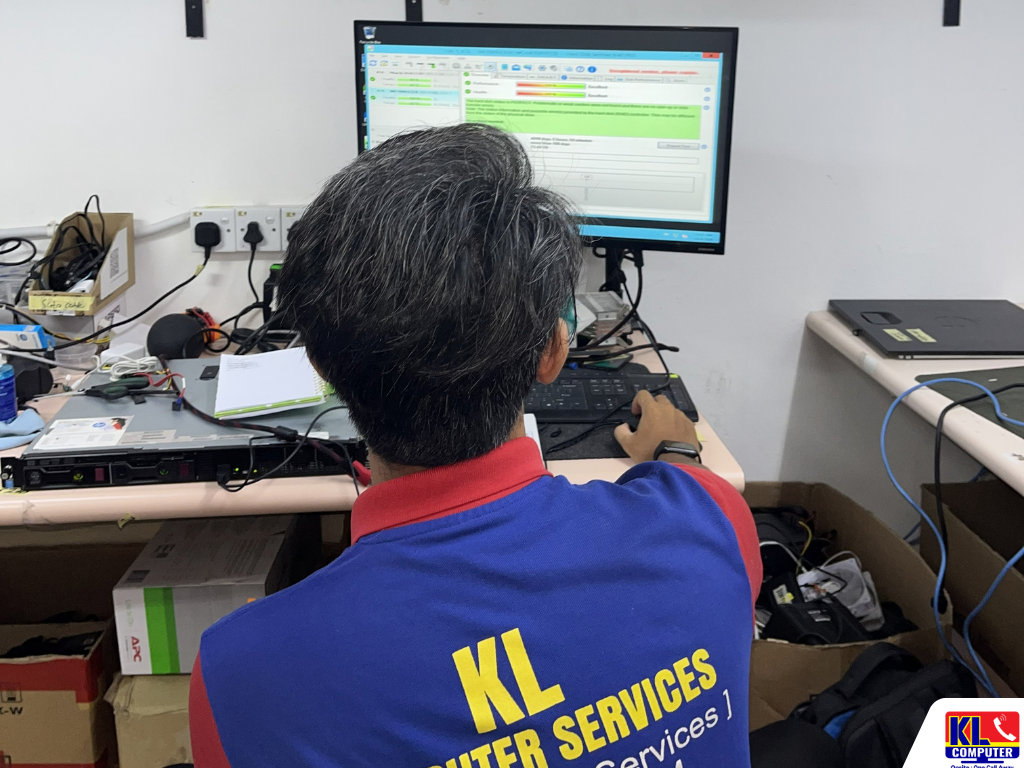
- 4.Onsite Upgrade or Replacement. We upgrade Windows, fit SSDs or RAM, or set up replacement PCs at your office, scheduled to keep downtime low.
- 5.Test Before We Leave. We check that software, printers, shared drives and email work on every machine before closing the job.
Prefer to have this handled as part of ongoing support? Our managed IT services include planning hardware and Windows upgrades ahead of time, and our guide to office IT setup for SMEs covers the bigger picture. For individual laptop upgrades and repairs, see our sister site's laptop repair and upgrade services.
Areas We Cover Around Klang Valley
Our technicians carry out office PC audits and upgrades across Kuala Lumpur. If your area isn't listed below, WhatsApp us your location and we'll confirm.
Setapak
Wangsa Maju
Cheras
Pandan Jaya / Pandan Indah
Ampang
Kuchai Lama
Bangsar
Bukit Bintang
Visit or Call a Branch
Speak to any of our four branches to book a Windows 10 office audit, or bring a PC in for a compatibility check.
📍 Branch
KL Computer Services Setapak
First Floor, 36-1, Jalan 2/23A, Taman Danau Kota, 53300 Wilayah Persekutuan Kuala Lumpur
Mon–Fri: 9am–7.30pm | Sat–Sun: 9am–7pm
📞 016-501 1914
📍 Branch
KL Laptop Shop Cheras Pandan Jaya
First Floor, 34-1A, Jalan Pandan 2/1, Pandan Jaya, 55100 Kuala Lumpur
Mon–Fri: 9am–7pm | Sat: 10am–7pm | Sun: Closed
📞 018-245 1914
📍 Branch
KL Computer Shop Ampang Pandan Indah
First Floor, 13M Jalan Pandan Indah 4/2 Ampang, 55100 Wilayah Persekutuan Kuala Lumpur
Mon–Fri: 9am–7.30pm | Sat–Sun: 10am–7pm
📞 018-405 1914
📍 Branch
KL Computer Services Jalan Klang Lama
First Floor, 2-1 Jalan Indrahana 1, Off Jalan Kuchai Lama, Klang Lama, 58200 Wilayah Persekutuan Kuala Lumpur
Mon–Fri: 9am–7.30pm | Sat–Sun: 10am–7pm
📞 018-944 1914Why Offices Choose Us
- ✓12 Years Supporting KL Offices. We've handled Windows upgrades, hardware refreshes and office migrations through several Windows versions. See our about us page for our background.
- ✓Honest Machine-by-Machine Advice. We tell you which PCs are worth upgrading and which aren't, rather than recommending a full replacement by default.
- ✓Repair, Upgrade and Replace Under One Roof. SSD and RAM upgrades, Windows installation, refurbished PCs and data migration, all handled by the same team.
- ✓Fixed, Walk-In Branches. Four permanent locations across KL with 1,200+ verified Google reviews, not a one-man operation you can only reach by phone.
- ✓Onsite When You Need It. We can carry out audits and upgrades at your office. Our onsite computer and laptop repair team covers KL and the Klang Valley.
Frequently Asked Questions
Have more questions? Visit our dedicated FAQ page, or see our related computer repair and maintenance services.
Can our office PCs use the free Windows 10 ESU for home users? ▾
The free programme is designed for personal devices, and PCs joined to a company domain or managed by IT tools are excluded. Office PCs should use the business ESU programme, or be upgraded or replaced.
We missed Year 1 of ESU. Can we still join? ▾
Yes, but ESU is cumulative, so joining in Year 2 means paying for Year 1 as well. For many offices, that cost is better spent on upgrading or replacing the PCs instead.
Is upgrading to Windows 11 free for our office PCs? ▾
For PCs with a valid Windows 10 licence that meet Windows 11 requirements, the upgrade itself is free. The costs usually come from labour, data backup, and any SSD or RAM upgrades the PC needs to run well.
Will our accounting and office software work on Windows 11? ▾
Most current software runs fine, but older accounting, POS and printer software can be an issue. We check each application during the audit, and where something isn't ready, we may suggest keeping that one PC on ESU temporarily.
Can you upgrade our PCs without disrupting the office? ▾
Yes. We schedule upgrades in batches or outside busy hours, back up each PC first, and test everything before handing it back, so staff can keep working with minimal downtime.
📞 Call / WhatsApp (Setapak HQ): 016-501 1914
📞 Call / WhatsApp (Cheras/Pandan Jaya): 018-245 1914
📍 Four branches across Kuala Lumpur: Setapak, Cheras (Pandan Jaya), Ampang (Pandan Indah), and Kuchai Lama
🕒 Hours vary by branch, see individual branch cards above
Table Of Content
Featured Services
Talk To Us
Got an IT issue? Skip the form — just WhatsApp us directly. Describe your problem and we'll get back to you fast.
WhatsApp Us NowRecent Post