

Managed IT Services for KL SMEs:
The "Anti-Downtime" Strategy
Stop waiting for things to break. Switch to a proactive IT model that prevents problems, secures your data, and turns surprise costs into predictable monthly spending.
Local-first managed IT for Kuala Lumpur & the Klang Valley
Deeply local: we work with TM/Unifi, TIME, Maxis and understand business rhythms in areas like Bangsar South, Mont Kiara, KLCC and the Golden Triangle.
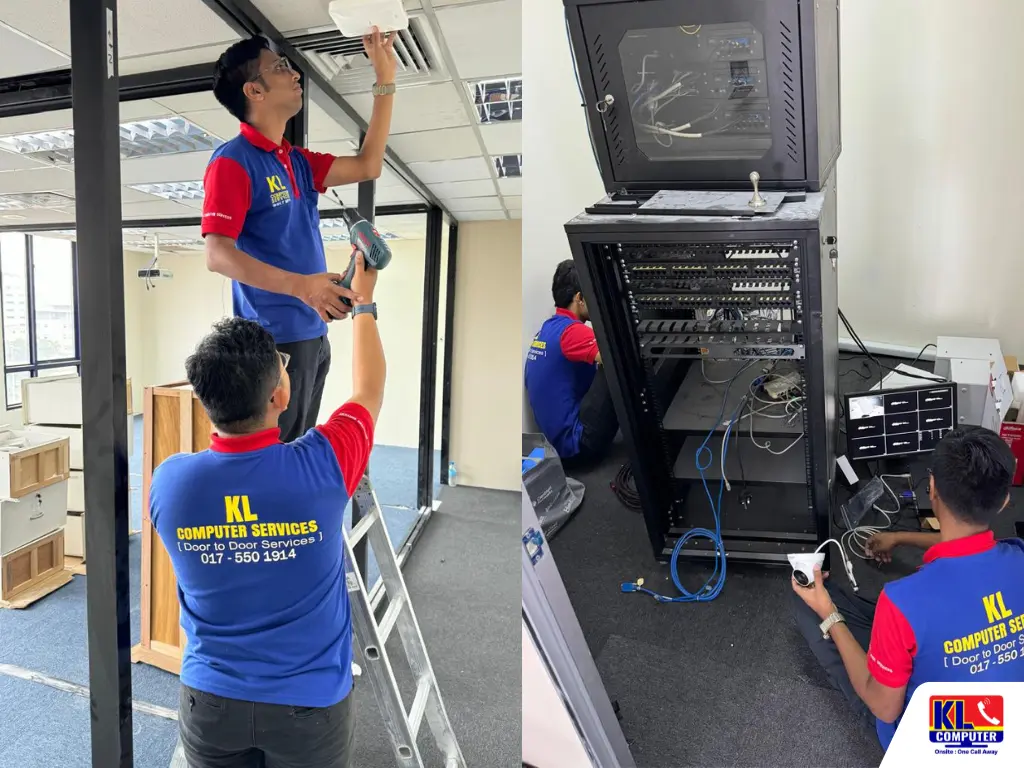
Reactive vs. Proactive: Which Are You?
Most KL SMEs run on a break-fix model: a failure happens, staff stop work, and someone calls for help. That "wait and react" approach creates these problems:
- Unpredictable costs from emergency callouts and rushed hardware replacements
- Longer downtime during peak hours (e.g., lunch trade in Bangsar South retailers)
- Fragmented vendor communications (ISP, printer lease, software support)
Managed IT replaces firefighting with prevention. We keep systems patched, monitor critical indicators, automate backups and own vendor escalation. For KL businesses this means fewer interruptions during trading hours and faster handoffs with local ISPs when fibre or copper incidents occur.
"Switching to Managed IT reduced our emergency callouts by 70% within 6 months, the team can now focus on customers, not tickets." - Finance firm, KLCC
The ROI of Managed Services (The Math)
Below is an illustrative comparison using Ringgit Malaysia (RM). You can replace numbers with your business figures for a tailored estimate.
Illustrative Example
- Average staff productivity loss / hour: RM700
- Average unplanned outage: 4 hours
- Annual unplanned outages (typical): 3
- Annual downtime cost: 3 × 4 × RM700 = RM8,400
- Emergency callout & replacement cost (one event): RM1,600
- Illustrative Managed IT fee: RM1,000 / month = RM12,000 / year
Outcome: Managed IT budgets the cost, reduces emergency replacements, and adds monitoring & backups. For many SMEs, the reduction in downtime and replacement costs produces a positive ROI within 12 months.
We offer a free, short ROI calculation, send your hourly revenue and average outage history and we'll run numbers for your situation.
What is Included? The 4 Pillars of Our Service
1. 24/7 System Monitoring
We monitor servers, firewalls, switches, cloud backups, and critical applications using enterprise-grade tooling. Alerts are prioritised and triaged by engineers, imminent disk failure, backup job failures, or abnormal CPU/memory spikes trigger automated workflows and, where required, on-call escalation.
2. Unlimited Remote Helpdesk
Phone, WhatsApp and ticketed support for your staff with no per-incident charge. Typical remote tasks we handle quickly: password resets, printer driver installs, email reconfiguration, and remote troubleshooting of Microsoft 365 and widely used accounting packages.
3. Strategic Planning (vCIO)
Quarterly planning sessions with a Virtual CIO to align IT spend with business goals, lifecycle planning, migration roadmaps (e.g., M365, cloud servers), budget scheduling, and risk assessments for upcoming projects like office moves or POS rollouts.
4. Cybersecurity First
Endpoint protection, automated patching, backup monitoring and basic security hardening are included. Optional add-ons: managed firewall, advanced EDR, vulnerability scanning, and SOC-style alerting for higher-risk organisations.
Monitoring & Tools: What We Use
We use a combination of proven monitoring & management tools (RMM, NOC dashboards, backup monitoring and SIEM for advanced security). Typical features delivered:
- 24/7 alerts with on-call triage and escalation matrix
- Patch compliance reports (Windows updates, third-party apps)
- Backup health & recovery tests (weekly/quarterly recovery drills)
- Basic log collection and retention for troubleshooting
We provide regular maintenance windows for non-urgent updates and a transparent change log so your operations team can plan around routine work.
Vendor Management: We Handle TM, TIME & Maxis
Vendor coordination removes the friction of multiple vendors (ISP, hardware lessors, third-party SaaS). Our vendor workflow:
- Ticket creation: We log the fault with the vendor, provide incident details and attach diagnostics.
- Escalation: We escalate to field engineers (TM/Unifi, TIME, Maxis) when remote fixes fail.
- Coordination: We book windows for on-site vendor visits and attend them to verify fixes.
- Validation: Post-fix testing (line speed, traceroute, packet loss tests) before closing the ticket.
Example: for a TIME fibre outage in Bangsar South we contact TIME, follow the ticket, escalate within 4 hours if no response, and schedule an onsite engineer while keeping your team updated.
Onboarding & Migration: How We Bring You Live
We follow a phased onboarding that reduces risk and keeps users productive.
- Discovery: Inventory hardware, software, network topology, backup health and vendor contracts.
- Security baseline: Apply endpoint policies, patch critical systems, and secure remote access.
- Monitoring rollout: Deploy agents and tune alert thresholds to your environment.
- Dry run & training: Test failover procedures and train your staff on simple self-help steps.
- Go live: Transition to managed operations with weekly check-ins for the first month.
Typical onboarding timeline for a 20-user office: 2–4 weeks depending on complexity (cloud migrations or legacy systems may extend the timeline).
SLA & Pricing Examples (Illustrative)
We offer straightforward tiers that include monitoring, helpdesk and basic security. All prices are illustrative, we'll create a tailored quote after discovery.
Core: Small Offices
RM600 / month
Monitoring + unlimited remote helpdesk for up to 10 users. Weekly backup checks. vCIO quarterly.
Response: Remote within 60 min; Onsite next business day (where applicable)
Business: Growth
RM1,200 / month
Monitoring, remote & on-site SLA (4 hours), advanced backup monitoring, basic managed firewall for one site.
Response: Remote within 30 min; Onsite within 4 hours (priority)
Enterprise: High Availability
Custom
24/7 NOC, managed firewalls, EDR, regular vulnerability scans, tailored SLAs and an assigned vCIO + monthly reporting.
Response: Guaranteed onsite SLA (2 hours) and dedicated escalation contacts.
We also offer a 30-day monitoring trial and phased payment options for migration projects.
Sample SLA Targets
| Metric | Target (Business) | Target (Enterprise) |
|---|---|---|
| Initial remote response | ≤ 30 min | ≤ 15 min |
| Initial onsite response (business hours) | ≤ 4 hours | ≤ 2 hours |
| Ticket resolution (priority) | ≤ 8 hours | ≤ 4 hours |
| Backup recovery test | Monthly | Weekly |
SLA response times are subject to geography and availability; enterprise customers receive bespoke guarantees.
KPIs & Reporting: What You Get
We deliver a concise monthly report tailored to your business showing:
- Service uptime (%) for critical systems
- Mean time to respond (MTTR)
- Tickets opened / closed and average resolution time
- Patch compliance percentage
- Backup success rate and recent test results
Reports are visual, include recommended actions, and are reviewed during quarterly vCIO meetings.
Industries We Manage in the Klang Valley
We tailor managed services for industries with specific uptime and compliance needs:
- Financial Services, data protection, secure remote access and encrypted backups for KLCC / Golden Triangle offices.
- Manufacturing & Logistics, reliable connectivity for ERP/WMS in Shah Alam and Klang industrial zones.
- Legal & Professional Services, secure document management and email encryption for firms in Mont Kiara and Bangsar South.
- Retail & F&B, POS availability, payment gateway reliability and quick onsite response for peak trading hours.
Serving Key Business Hubs
We provide fast remote monitoring and rapid onsite response for sites across the Klang Valley including:
- KL City Centre & Golden Triangle
- Bangsar South & Mid Valley
- Mont Kiara & Sri Hartamas
- Petaling Jaya & Damansara
- Subang Jaya & Sunway
- Cyberjaya & Putrajaya
We keep local ISP escalation paths (TM, TIME, Maxis) and regional field contacts to shorten vendor lead times in commercial areas.
Frequently Asked Questions
We can begin lightweight monitoring within 48 hours of accepting a trial agreement. Full onboarding (inventory + patching) typically takes 2 to 4 weeks.
Yes, with your permission we deploy management agents or use approved remote access tools. We always document and log remote sessions.
Backup monitoring is included. Managed backups or cloud storage are optional add-ons depending on business needs and retention policies.
That's fine. We work with your existing ISP (TM/Unifi, TIME, Maxis) and manage the support ticketing and escalation on your behalf.
Yes, our managed services scale to multiple sites with centralized monitoring and local on-site engineers when required.
Contact & Location
Mobile (Call/WhatsApp): 017-637 5622
Office (Call/WhatsApp): 017-550 1914
Address: First Floor, 36-1, Jalan 2/23a, Taman Danau Kota, 53300 Wilayah Persekutuan, KL
We offer a 30-day monitoring trial and complimentary short ROI review for new managed clients. For migration projects we provide phased plans and flexible payment schedules.